Hello Doors
In this tutorial, we'll build a small weather dashboard with Doors. Along the way, you'll learn the core building blocks of the framework: rendering HTML with GoX, serving a page with Doors, wiring routes, and learning a few helpful APIs.
The full code for this tutorial is available at github.com/doors-dev/tutorial.
Install
Make sure you're using Go 1.25.1 or newer:
go version
Doors is built on top of GoX, so editor support matters a lot here. Use one of these:
You can also follow the manual installation steps in the GoX README.
It is also a good idea to have the gox binary on your PATH. That gives you commands like gox fmt and gox gen, and it helps editor tooling and code agents run the same workflow explicitly when needed.
The practical workflow is:
- write GoX source in
.gox - use
.gofor ordinary Go files - treat
.x.goas generated output and do not edit it directly
The GoX language server keeps generated
.x.gofiles in sync when you save a.goxfile. You can still rungox genorgox fmtmanually whenever you want.
Setup
Create a directory for the tutorial app:
mkdir doors-tutorial
cd doors-tutorial
Initialize a Go module and install Doors:
go mod init github.com/doors-dev/tutorial
go get github.com/doors-dev/doors
App
Create app.gox:
package main

import "github.com/doors-dev/gox"

type App struct{}

elem (a App) Main() {
	<!doctype html>
	<html lang="en">
		<head>
			<meta charset="utf-8">
			<meta name="viewport" content="width=device-width, initial-scale=1">
			<title>Hello Doors!</title>
		</head>
		<body>
			<main class="container">
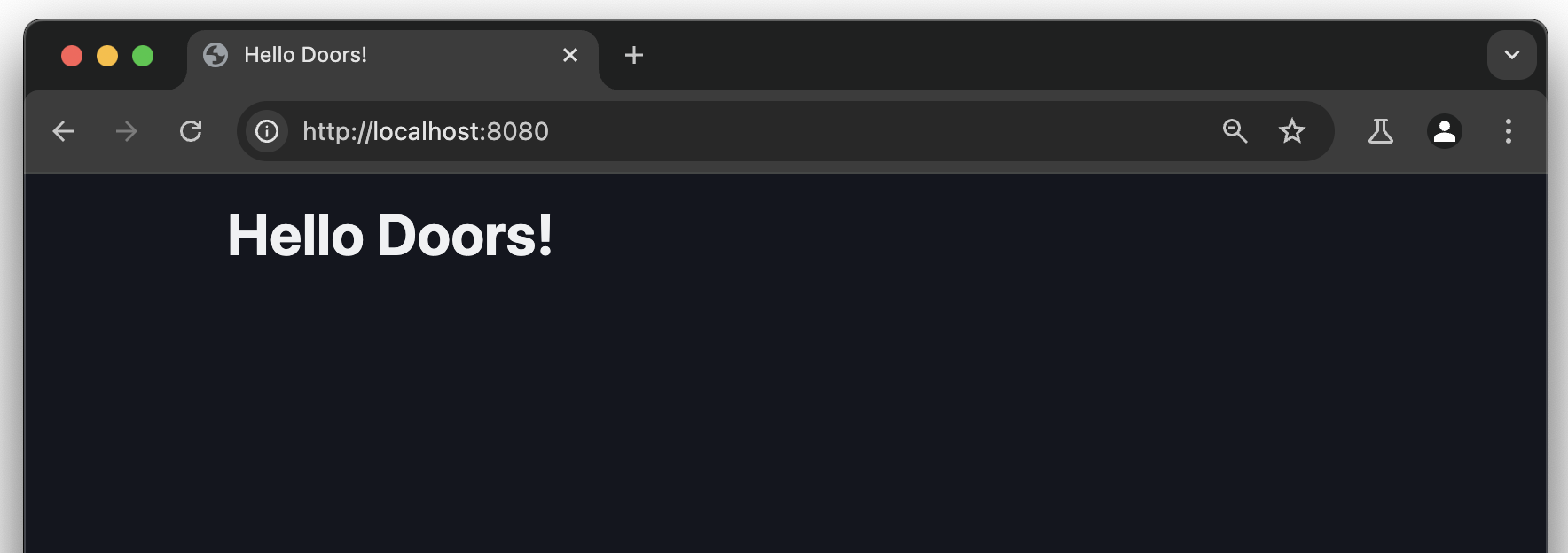
				<h1>Hello Doors!</h1>
			</main>
		</body>
	</html>
}
In Doors and GoX, a component needs a Main() method that returns gox.Elem. The elem keyword lets you write HTML directly inside the function body instead of building it manually in Go.
When you save
app.gox, the GoX language server generates the matching.x.gofile for you.
Serve
Now create main.go:
package main

import (
	"net/http"

	"github.com/doors-dev/doors"
)

type Path struct {
	Home bool `path:"/"`
}

func main() {
	r := doors.NewRouter()

	doors.UseModel(r, func(doors.RequestModel, doors.Source[Path]) doors.Response {
		return doors.ResponseComp(App{})
	})

	if err := http.ListenAndServe(":8080", r); err != nil {
		panic(err)
	}
}
This does four things:
- Defines the
/route with thePathstruct. - Creates a Doors router.
- Registers a handler that always renders
App{}. - Starts an HTTP server on port
8080.
Run the app:
go run .
Then open http://localhost:8080.
What Just Happened?
The Path struct is a Doors model. Doors uses tagged struct fields to match, decode, and encode URLs.
doors.UseModel(...) registers a handler for that model type. In this example, the handler always returns doors.ResponseComp(App{}), so the page renders the App component for /.
The doors.RequestModel argument gives access to request-specific HTTP data, and doors.Source[Path] holds the current path model value. We are not using either one yet, but they become important as soon as the page starts reacting to navigation, query params, or request state.
For the underlying model flow, see Path Model and Router.
Styles
For a decent default look, let's add Pico CSS.
You could use a normal <link href="...">, but doors.ResourceExternal(...) also lets Doors track the external URL for CSP if you enable it later.
For resource-backed styles and external URLs, see Styles.
Update app.gox like this:
package main

import (
	"github.com/doors-dev/doors"
	"github.com/doors-dev/gox"
)

type App struct{}

elem (a App) Main() {
	<!doctype html>
	<html lang="en" data-theme="dark">
		<head>
			<meta charset="utf-8">
			<meta name="viewport" content="width=device-width, initial-scale=1">
			<title>Hello Doors!</title>
			<link
				(doors.ResourceExternal("https://cdn.jsdelivr.net/npm/@picocss/pico@2/css/pico.min.css"))
				rel="stylesheet">
		</head>
		<body>
			<main class="container">
				<h1>Hello Doors!</h1>
			</main>
		</body>
	</html>
}
doors.ResourceExternal(...) is an attribute modifier. It updates the tag's attributes and lets Doors track the external URL as part of resource metadata.
Attribute modifiers can inspect and change tag attributes. You can build your own by implementing the
gox.Modifyinterface.
Reloading
An easy way to get live reloading for Go files is wgo:
go install github.com/bokwoon95/wgo@latest
Then run it from the project directory:
wgo -file=.go go run .
For the usual editor workflow, the GoX language server already regenerates .x.go files whenever you save .gox, so you usually do not need to watch .gox files separately. In real projects, you may also want to watch files such as .css, .js, or .ts.
Next: Integrations